Searching Functions
Searching Functions
Learning Objectives:
- Understanding the VLOOKUP Function.
- Understanding the LEFT and RIGHT Functions in Excel.
VLOOKUP
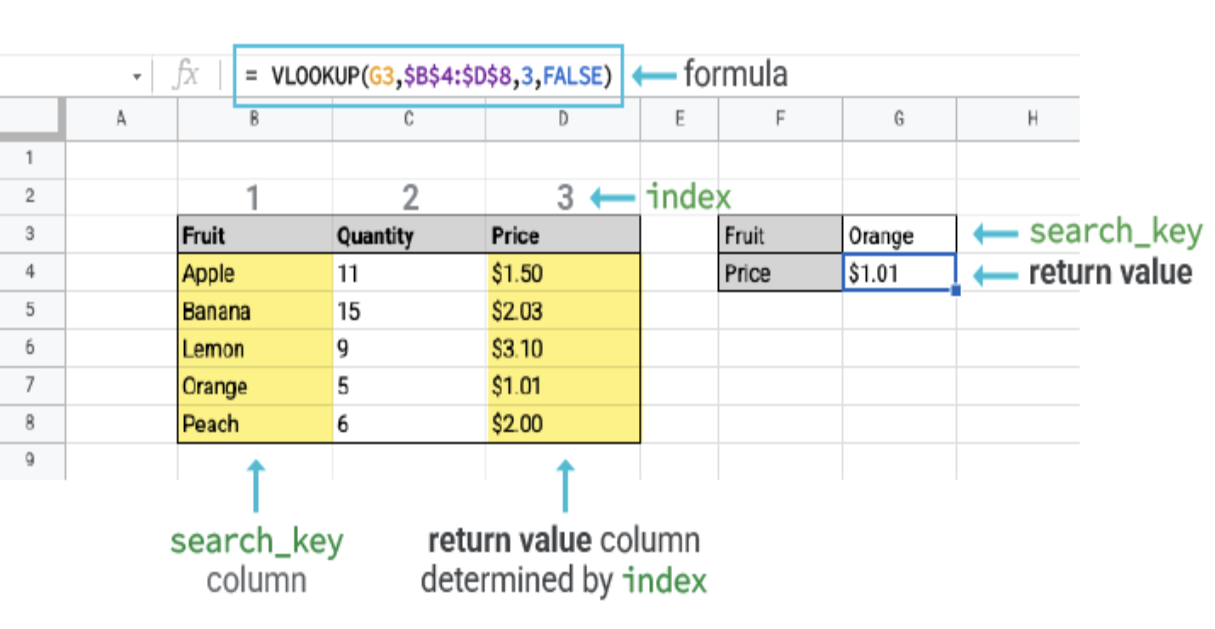
This function allows searches across columns.It is typed =VLOOKUP
=VLOOKUP(lookup_value, table_array, col_index_num, [range_lookup])
Lookup_value: Select the cell where search values will be entered.
Table_array: The table range, including all cells in the table.
Col_index_num: The data that is being looked up. The input is the number of the column, counted from the left:
LEFT Function
This function is used to retrieve a specified number of characters (ex. letters, numbers, etc.), counting from the left side of an Excel cell. The chosen number has to be greater than 0 and is set to 1 by default.It is typed =LEFT
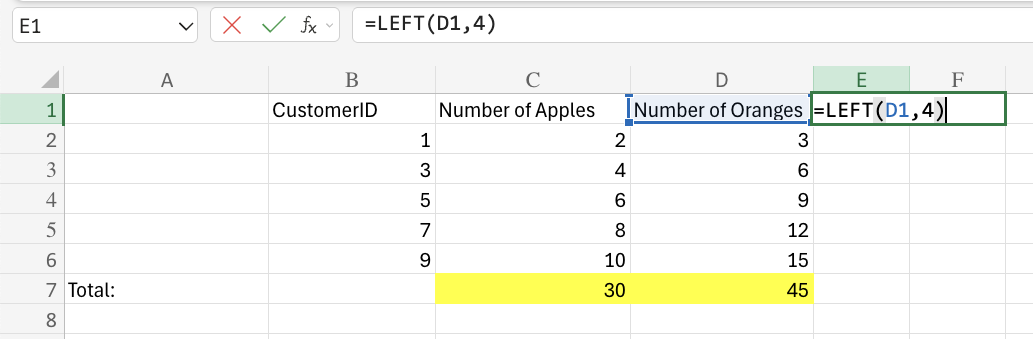
In this example, the output would be "numb" since these are the first 4 characters from the left side of the cell.
RIGHT Function
This function is used to retrieve a specified number of characters, counting from the right side of an Excel cell. The chosen number has to be greater than 0 and is set to 1 by default.It is typed =RIGHT
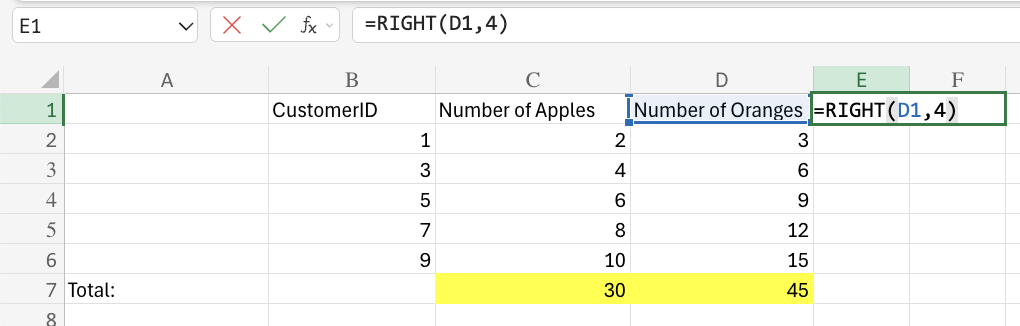
In this example, the output would be "nges" since these are the first 4 characters from the right side of the cell.