Excel Tables
Excel Tables
Learning Objectives:
- Learning how to create a table in Excel.
- Learning how to customize table designs/
- Understanding how to resize tables.
Excel Tables Overview
Tables are data structures that makes data organized and easy to understand. Commonly, cell ranges are converted into tables.Tables connect cells in a range and put it into a fixed structure where all of the cells share the same formatting. This allows options for sorting and filtering data, formatting, and autofilling cells.
Please note that tables can be converted back to range.
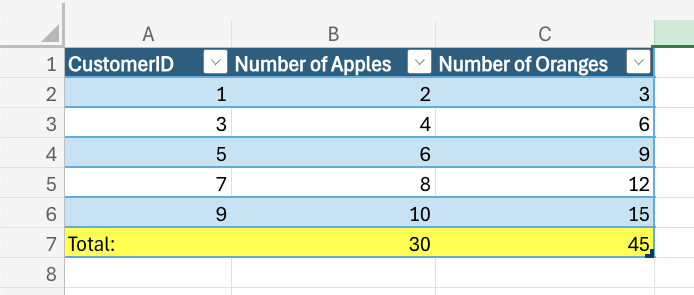
Tables are commonly used to prepare data for charts and pivot tables.
Table Design
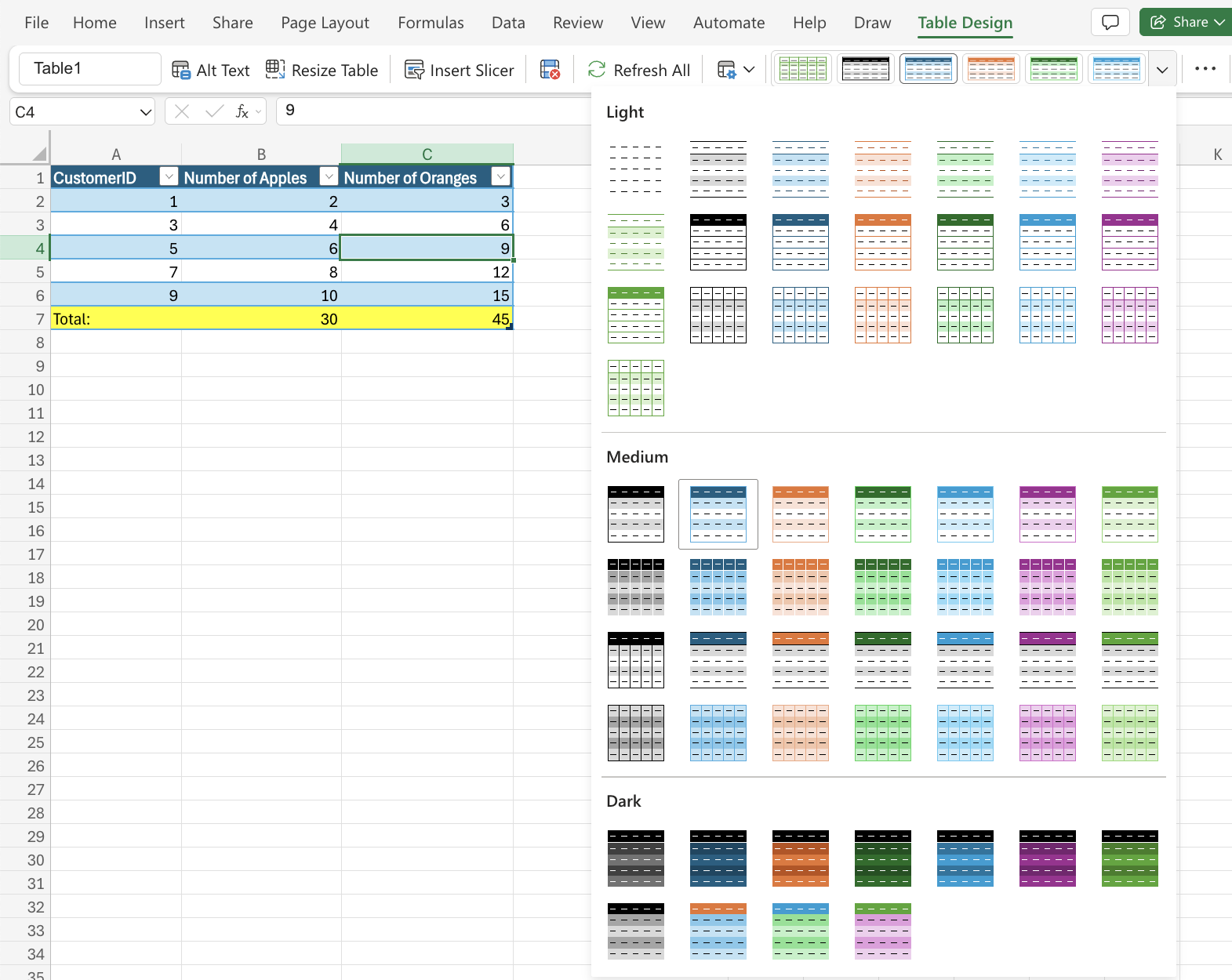
Tables can be styled and customized easily. Once a table is created and a cell in the table is selected, a menu called “Table Design” appears. This tab has options and commands such as:- Resize
- Remove duplicates
- Convert to range
- Style options (total row, banded row, header row, etc.)
- Formatting
- Table Name
Excel gives tables default names such as Table 1. However, the name of the table can be adjusted in the Table Design Tab in the name input field.
Warning: Tables cannot be renamed in the Excel Web Version
Table Resizing
The size of a table can be increased or decreased based on the table range. There are three ways to resize a table. Those ways include:- Resize table command
- Drag to resize
- Adding headers
Resizing Table Command
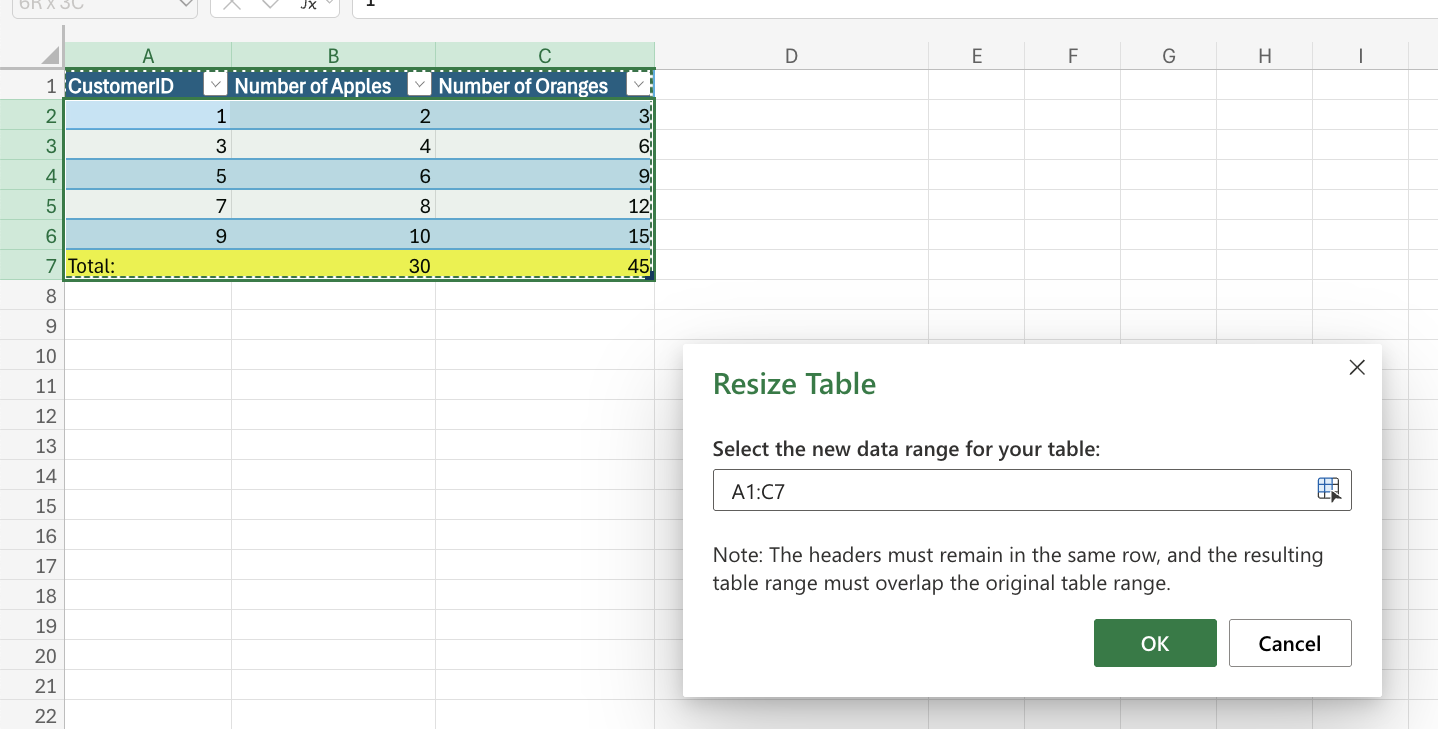
This allows you to change the table size by entering a range.
Drag to Resize
The table can be resized by dragging its corner.
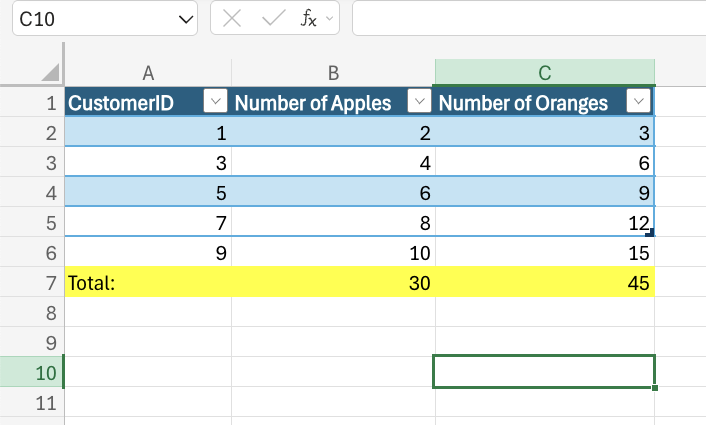
In this example, the table is resized to exclude the last two rows in the spreadsheet.
Removing Duplicates
Excel has a command that allows you to remove duplicates in tables. Duplicates are extra copies of values. This command is commonly used when cleaning a dataset where you do not want copies of values.The Remove Duplicate command is found in the Ribbon under the Table Design tab.
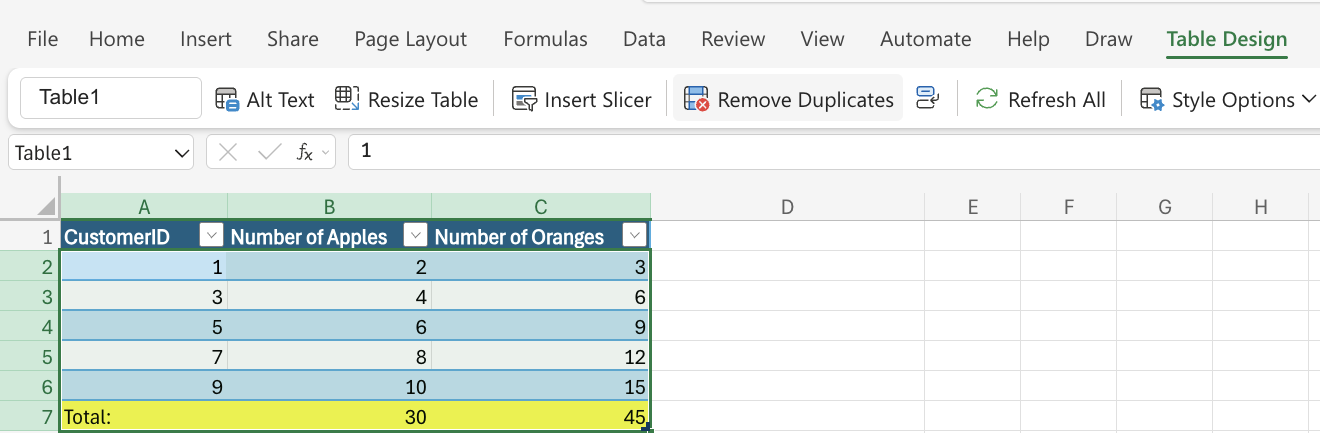
Warning: This command does not specify which duplicates will be deleted.
Converting Tables to Ranges
Tables can be converted to a range by selecting a cell in the table’s range and clicking the convert to Range command.
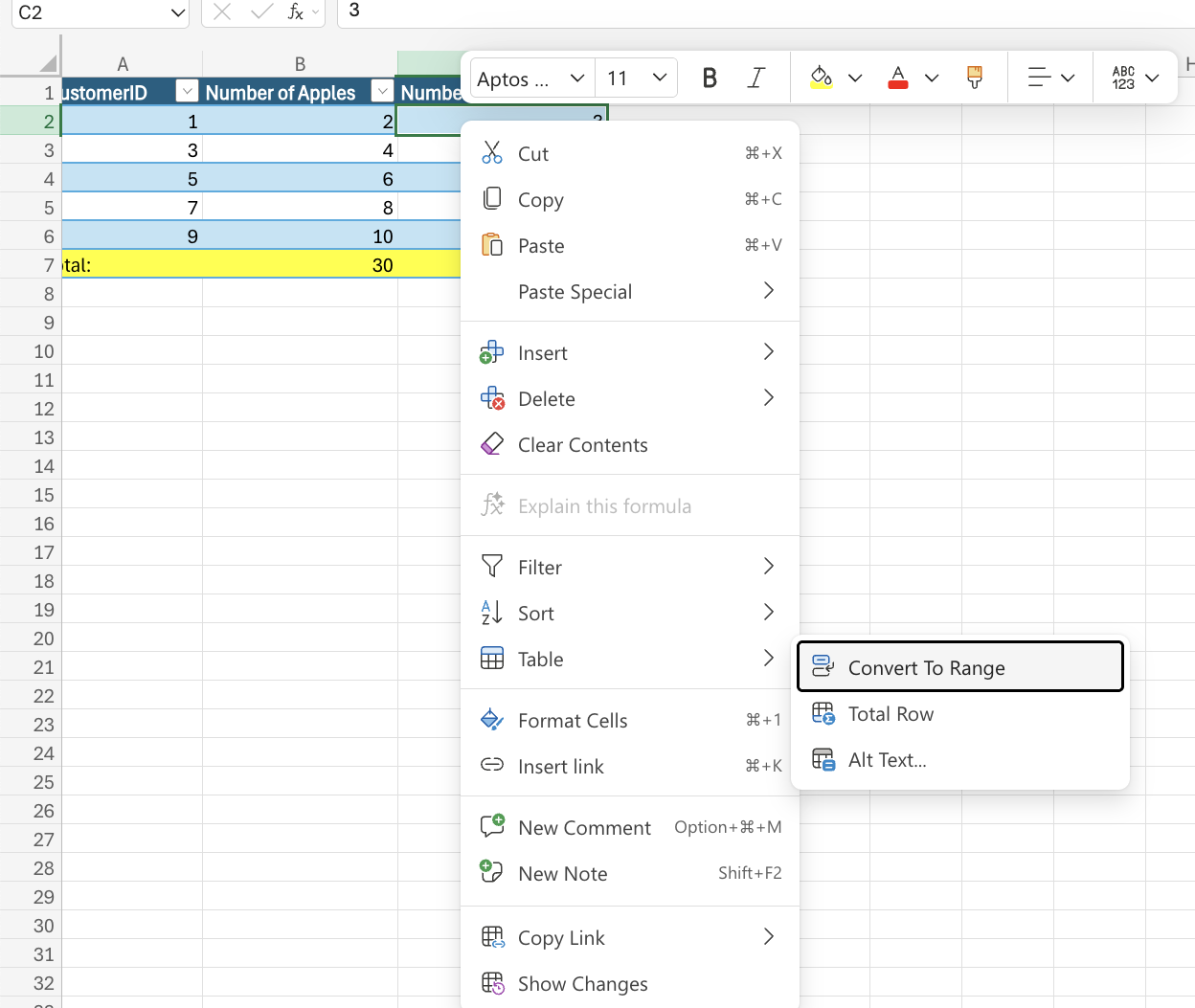
Table Styles
The purpose of table styles is to change the appearance of the table. The default table style is Blue, Table Style Medium 2.Excel has three main categories for Table styles.
- Light: Light colors, more white space
- Medium: Medium colors, medium white space
- Dark: Dark colors, less white space