Basic Formatting Actions
Learning Objectives:
- Understanding the function of Format Painter
- Learning the ability to change font characteristics
- Understanding what RGB and Hex Codes are
Format Painters
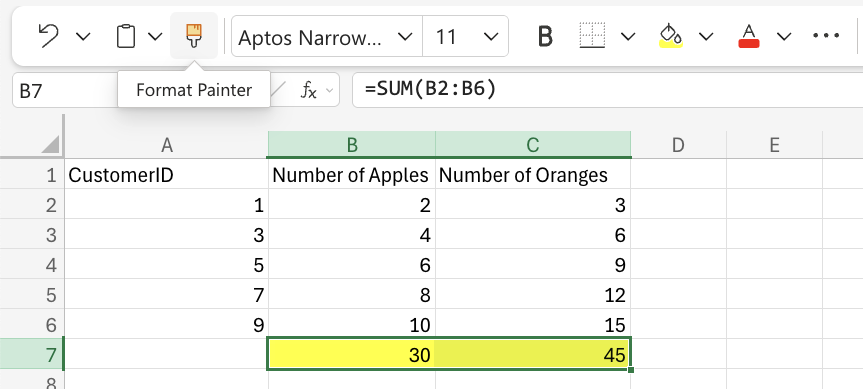
Format Painter is a command that allows you to copy formatting from one cell to another. This can be used to copy to single cells or ranges. To locate the Format Painter, click on its button in the Ribbon. It is located in the Clipboard group.Follow these steps to use the Format Painter in your spreadsheet:
- Select the cell you want to copy
- Click the Format Painter button
- Select a cell or range
Colors
Excel has a set number of themes and standard colors that are available for users to use. Using a color for a cell is easy; just select a color by clicking on it.The “More Colors” option allows you to select custom colors by entering a RGB or HEX code.
RGB Colors
RGB colors are colors specified with rgb( RED , GREEN, BLUE). Each category defines the intensity of that color as an integer between 0 and 255.For instance, RGB (0, 255, 0) is green. 255 is the highest value, so that means that the cell would be set to be green.
Hexadecimal Colors (HEX Codes)
A hexadecimal is a color specified with #RRGGBB. RR(red), GG (green), and BB (blue) are hexadecimal integers between 00 and FF with FF displaying the highest intensity.For instance, ##FF0000 is going to be displayed as redsince redis set to the highest value and the other values are set to the lowest values.