Font Characteristics
Formatting Fonts:
Learning Objectives:
- Learning the common Excel formatting fonts
- Understanding how colors can be applied to fonts
- Understanding how font sizes are adjusted in Excel
There are various ways to format fonts in Excel. The most common ways are:
- Color
- Font name
- Size
Font Colors
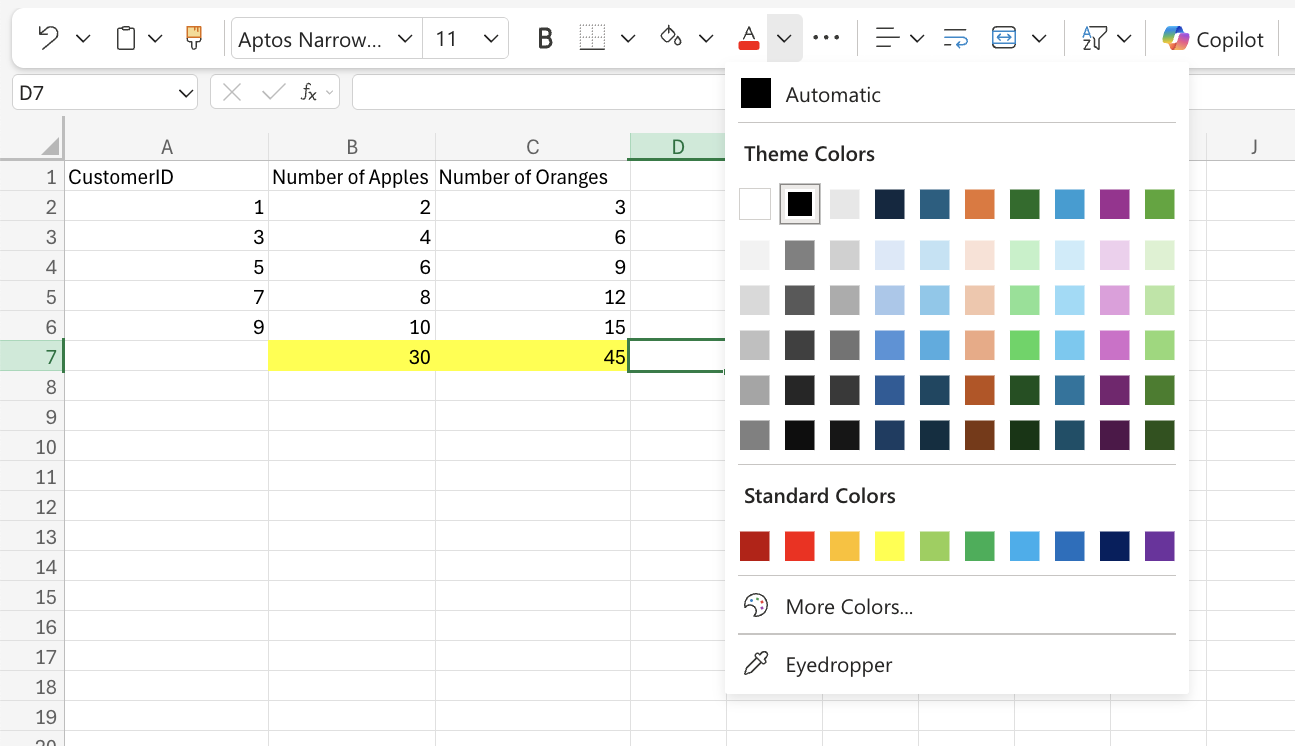
The default color for fonts is black. Colors can be applied to fonts by using the “Font color” function. The Font color command remembers the color used last time.
Font Types
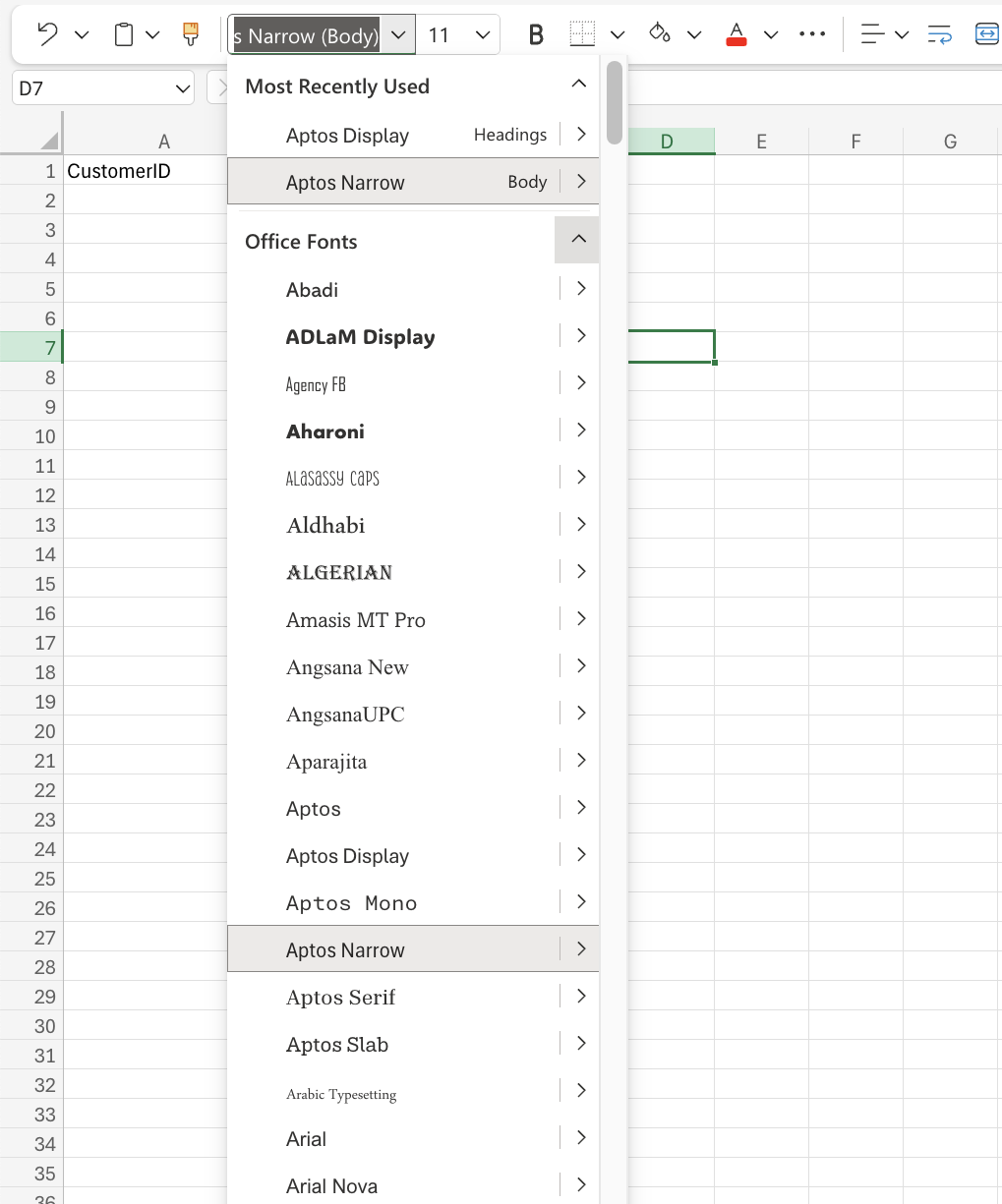
The default font used in Excel is Calibri. Font types can be changed using the font name drop-down menu.
Font Size
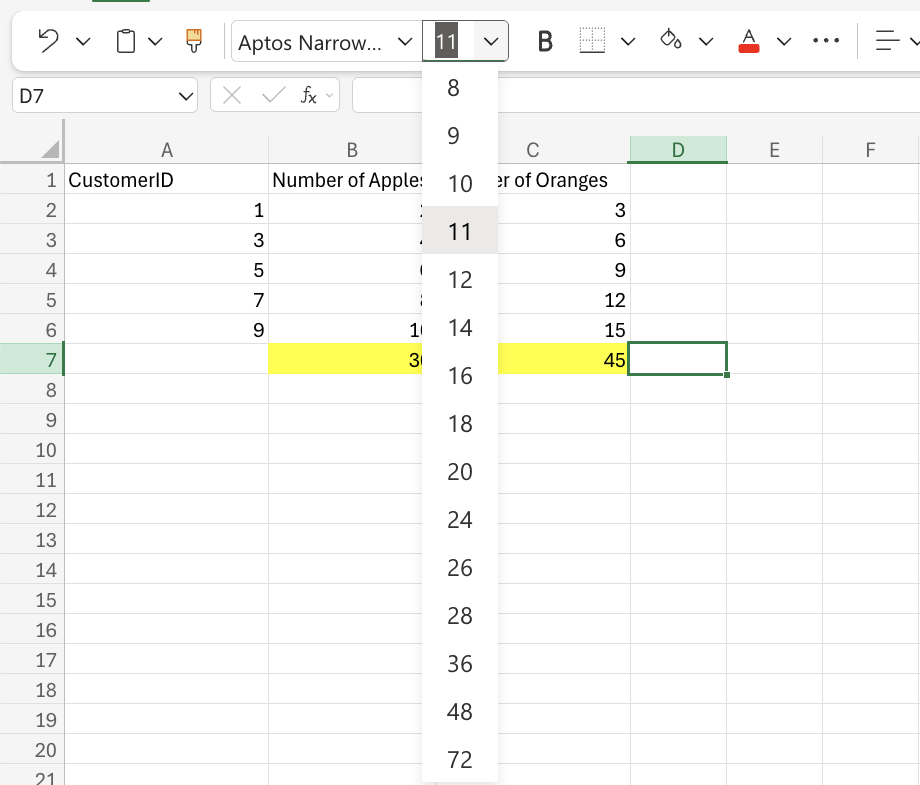
The default font size used in Excel is 11. The size of fonts can be changed using the dropdown menu next to the font name.
Font Characteristics
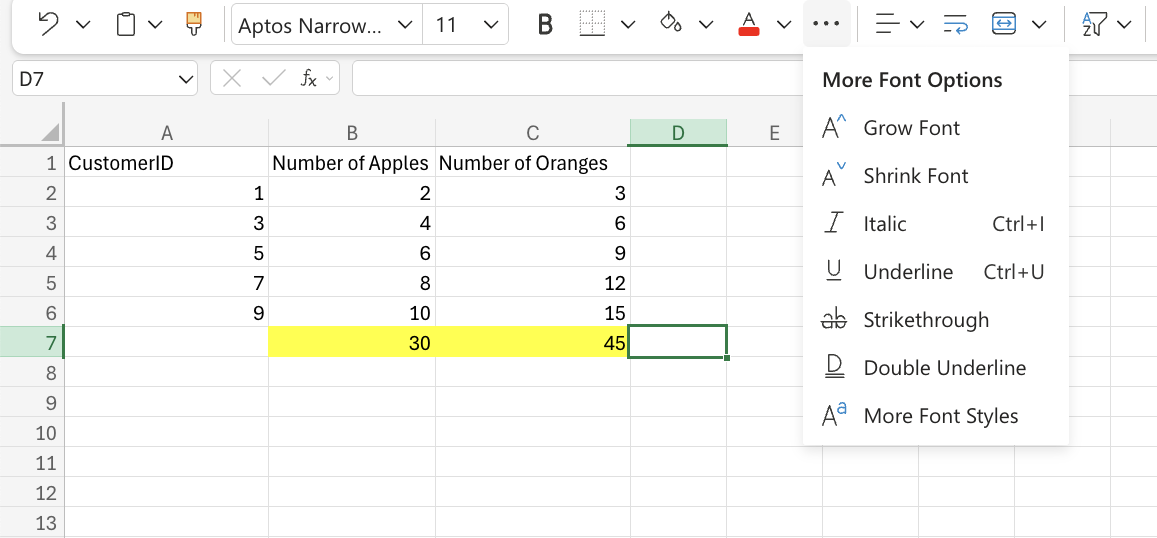
Other font characteristics can be adjusted through their commands in the ribbon. These commands are located under the font type and size.Other font characteristics include:
- Bold
- applied by either clicking the Bold (B) icon in the Ribbon or using the keyboard shortcut CTRL + B or Command + B
- Italic
- applied by either clicking the Italic (I) icon or using the keyboard shortcut CTRL + I or Command + I
- Underlined
- applied by either clicking the Italic (I) icon or using the keyboard shortcut CTRL + I or Command + I
- Strike through
- applied by either clicking the Strikethrough (ab) icon or using the keyboard shortcut CTRL + 5 or Command + Shift + X