Format Settings
Format Settings
Learning Objectives:
- Learning the effects of regional Excel format settings.
- Understanding how to adjust formatting settings.
Excel provides regional formatting settings for different styles and languages of presenting information.
Regional settings can greatly impact:
Regional settings can greatly impact:
- Calendar date formatting
- Decimal numbers
- Default currency formatting
- Formula delimiters
- Symbols used to separate arguments in a function
- Most common symbols for delimiters are commas and semicolons
Changing Format Settings
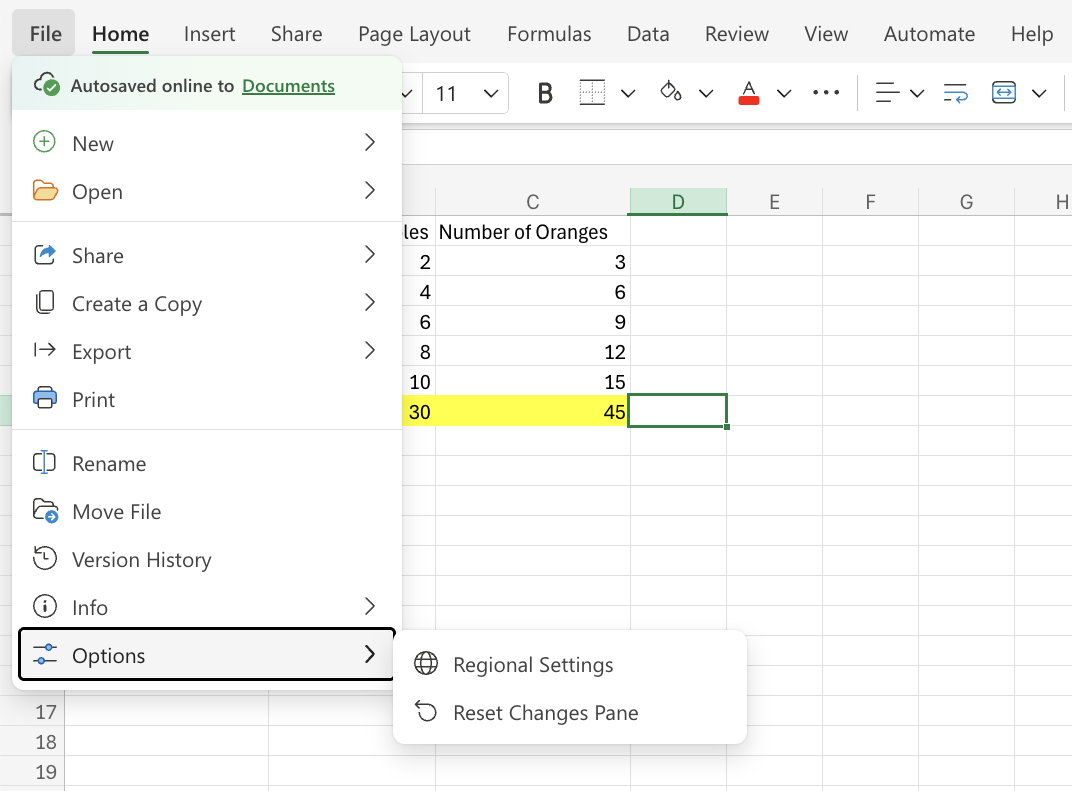
To change the format settings, go to the File menu and click Options. The Options tab will open a dialog box that allows you to choose your regional language settings.
Warning: Changing the regional format settings will automatically convert any existing values and formulas in your spreadsheet.